
CFCWR Blog
See Produce: An AI-Powered App to Fight Food Waste at Home
Written by: Karie Taylor and Payten Logue, CFCWR Student Interns, Purdue University
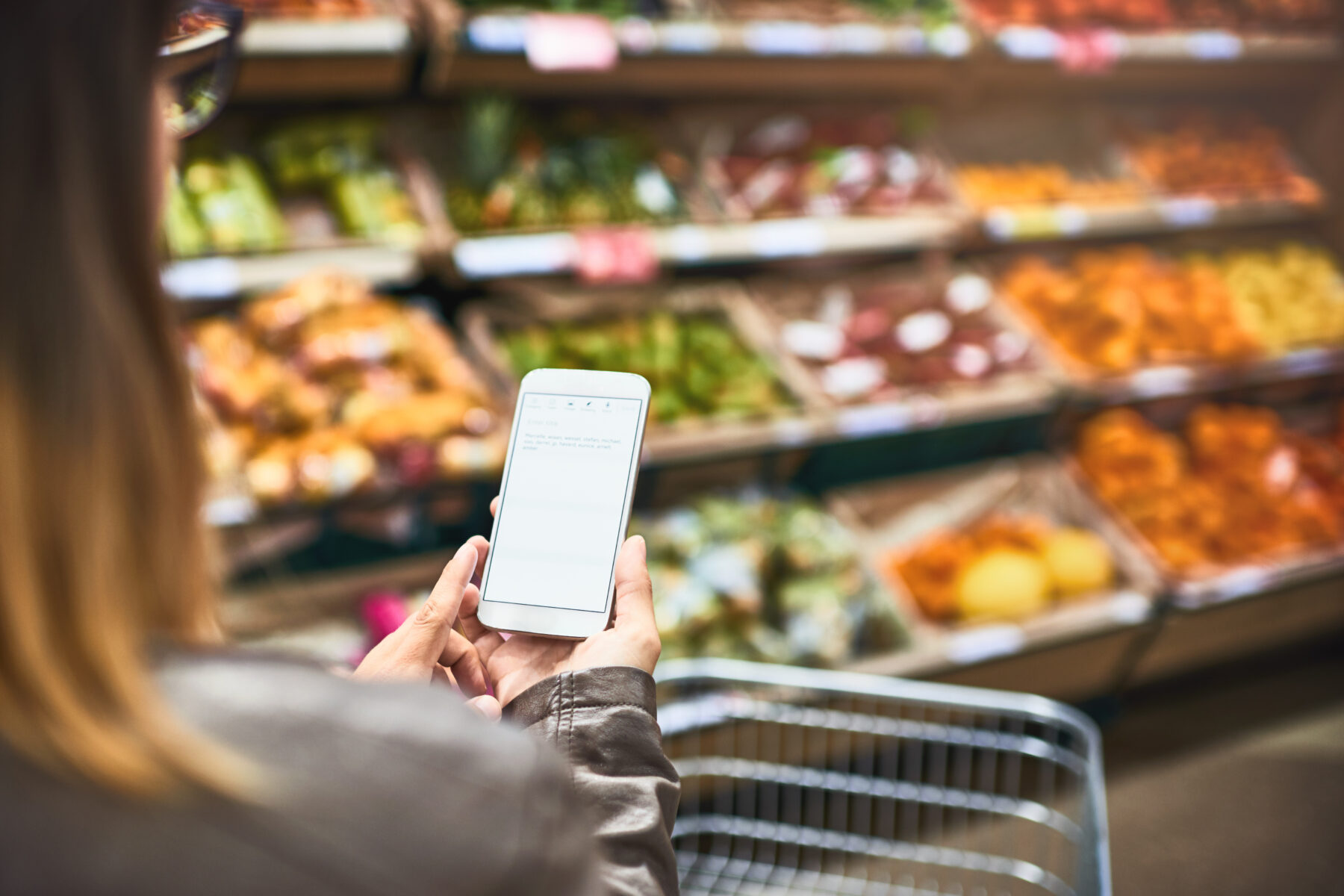
Do you ever see avocados in the grocery store or on your counter and wonder how long they will last? Now, there’s an app to help with just that! The See Produce app was created to help reduce food waste and increase the efficiency of our food supply chain so that we aren’t wasting the precious resources that go into producing our food. The app uses AI to assess produce quality, predict expiration dates, scan for FDA and USDA recalls, and provide a digital pantry to help you track your inventory and consumption habits. Recently, the app was updated to include additional features, including a savings tracker based on your consumption rate and a recipe recommender for items in your pantry. See Produce is still in its early stages, and the app’s developers, Pandian Rajaram and Priyanka Kumari, are continually adding features and improving its capabilities. In this post, we dig in and tell you a little bit more about how this app works and how it could help you reduce food waste at home.
Where can you find the app and what does it cost?
The See Produce app can be downloaded from the App Store or Google Play. You can create a free account with ads or purchase an annual ($2.99/month) or monthly ($4.99/month) subscription to use the app without ads. They also offer a free 14-day trial to test out the subscription version to see if you are interested in purchasing it. For this post, we tried out the app in its basic form without purchasing any subscriptions.
How does the app work?
The app offers two scanning modes: fresh produce and barcodes on packaged foods.
Fresh Produce Scanning
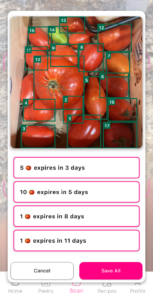
The fresh produce scanning is what sets the app apart from others on the market. Currently, this feature allows you to scan specific types of produce and uses AI to estimate when the produce will expire. The app currently supports these produce items: avocado, banana, lime, raspberry, strawberry, and tomato, with the following items to be supported soon: blackberry, blueberry, chili, cherry, and onion. Interestingly, when you scan a group of tomatoes, for example, the app will actually sort the tomatoes if there are different levels of ripeness. In other words, the app can specify that Tomato A and Tomato B will expire in 3 days, but you should eat Tomato C today.
While we like this feature, we did come across a few issues while using it. For example, peppers were consistently misidentified as tomatoes, even with several different types of peppers. While tomatoes are supported, it is important to note that peppers are not at this time, so this is likely the reason for the misidentification. We also found that the suggested expiration date wasn’t always accurate to the day. This might suggest that the AI image identification needs some tweaks and more data entered into the database, which we expect the developers are working on.
Barcoding for Pantry Staples
The other form of scanning is by barcode, which is useful for all your non-produce groceries. We found this feature helpful for keeping track of items with long shelf lives that end up in the back corner of your fridge or pantry. After scanning the barcodes on these items, the app identifies the product and then asks you to scan any expiration date listed on the product, whether that be “use by” or “best if used by,” to input into your digital pantry. Your digital pantry then sorts these items into categories such as dairy, frozen, condiments, and more. If you scan the barcode and the app cannot immediately identify the item, it places it into a miscellaneous category.
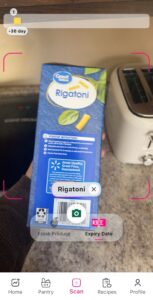
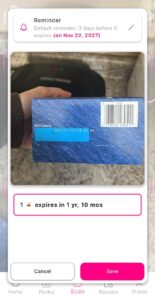
This feature is fairly seamless; however, one issue we ran into is that when the product has no expiration date listed on the package, you cannot add it to your digital pantry. The app does not allow manual entry of expiration dates, so even if you know you want to use this item in the next 10 days, you cannot manually enter the date and add the product to your pantry. We would suggest this as an area of improvement for future versions of the app.
Your Digital Pantry
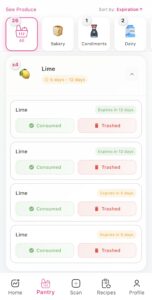
Once foods are added to your “digital pantry,” several features help you track your consumption. The app has a consumption rate graph highlighting your consumption or waste over the past 30 days. It also shows a percentage of your consumption to help you stay aware of your habits. Another feature the app offers is a graph of your fresh produce, showing the number of each item you have in your pantry, with color-coded expiration dates. The fresh produce graph helps keep these items in front of you to avoid spoilage, since they are among the most wasted foods. Having this visual representation of when you need to eat these items makes it easier to avoid food waste in your household. These features keep you accountable by showing you if you are consistently trashing a certain grocery item. You can then change your habits by not buying that item, or buying a lesser amount going forward, or being more intentional about meal planning to use it before it spoils.
Other Cool Features
This app offers some additional cool food management features that help you save money and reduce waste.
Savings Dashboard
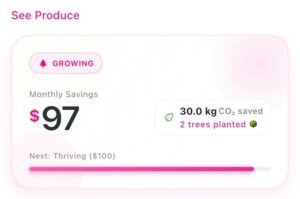
A feature added in a recent update was a dashboard highlighting monthly savings in dollars and kilograms of CO2 saved based on your consumption and waste habits. This feature highlights the fact that food waste is not only harmful to the environment but also to your wallet. This dashboard helps you understand how much money you are saving, or wasting, based on your kitchen habits.
Recipe Recommendations
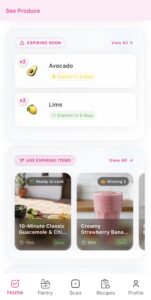
The other major update in the recent version update was a recipe recommender. The app suggests recipes to use up the items you have in your digital pantry. It lets you know the prep time, difficulty level, necessary ingredients, whether you have them, preparation instructions, and dietary information for the recipe. After making this recipe, you can mark it as cooked, which will update your pantry to remove the ingredients you used. You can also favorite and rate the recipe! Inside the recipe tab on the app, there is a “Generate Recipe” option that helps you use up expiring items, use all pantry items, or choose quick & easy recipes. You can then choose preparation time, cuisine type, difficulty level, cooking method, and an optional choice to add custom instructions like “extra spicy” or “kid-friendly”.
Expiration Alerts
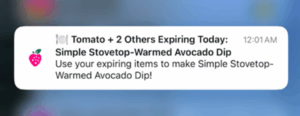
You can also adjust app settings to alert you before your food spoils. The options range from 3 days before expiration to the same day of expiration, at any time of day. An example of a notification I received reads, “Heads up! 2 items are expiring soon. Including: Tomato. All will expire in 1 day.” This alert system lets you know when to finish up certain items in the fridge to avoid waste.
Bottom Line
If you are looking for an app to help you keep track of your pantry and become more aware of your household’s food waste this year, check out See Produce! The developers of See Produce are giving us a glimpse into the future of food pantry apps through the implementation of technologies like AI and real-time graphics that show your consumption habits. While the app is still in the early stages of development, its functions are useful, and with its recent improvements, we believe it stands out from many other food pantry applications on the market. Overall, if you take the time to input your items into this digital pantry, the alert system and visual representation of your consumption could help you reduce your household’s food waste.
This work is supported by the Agriculture and Food Research Initiative, project award no. 2024-68015-42110, from the U.S. Department of Agriculture’s National Institute of Food and Agriculture. Any opinions, findings, conclusions, or recommendations expressed in this publication are those of the author(s) and should not be construed to represent any official USDA or U.S. Government determination or policy.
DISCLAIMER OF ENDORSEMENT: Reference to any specific commercial Product, process, or Service by trade name, trademark, manufacturer, or otherwise, does not necessarily constitute or imply its endorsement, recommendation, or favor by CFCWR. The views and opinions expressed herein shall not be used for advertising or product endorsement purposes.